


Communicate with your team directly in IC Project
The built-in messenger allows you to have individual and group conversations, without switching between applications. Create any conversations you want, send voice messages, files, and links - and everything stays within the context of your projects. Zero understatement - this is the best flow of information.Twoich projektów.
Zero niedomówień - to najlepszy przepływ informacji.
Private Chats
Talk to each team member individually without hindrance
Project groups
Create conversations dedicated to any topic or department
.avif)
Share information exactly where it's needed with the built-in messenger
Each task and project has its own communication thread. With just one click, you can jump to a conversation about a specific job — files, comments, and findings are automatically saved to the task.automatycznie przy zadaniu.
Task Threads
Communication always linked to the work context
History of Findings
All conversations and decisions saved in one place
.avif)

IC Project is a system used at every organizational level of the company. With its help, we visualize the entire project-task process and take care of the effective communication of the teams.

Send, share and search files without leaving the project
Each file uploaded in a conversation or comment is automatically saved with the corresponding task. You can filter by file type, view only graphics, documents or links, and find the materials you need instantly.
Full integration
Files, conversations and tasks always in one place
Quick Filtering
Display only the selected type of files or links - exactly the way you want
.avif)
Search for information in all communication in seconds
The built-in contextual search engine allows you to find any message, file or phrase regardless of where it was used. Thanks to this, you arrive at the findings in a flash, even from many months ago.
You can also record a quick voice message with your question at any time to make it even easier to communicate with others!
Content Search
Find information in conversations, tasks and projects
Full context
You open each result in the place where it was created
.avif)
Communication in IC Project is only part of a larger collaboration ecosystem
Conversations, comments, tasks, and files all work together in one environment. IC Project eliminates the need for external messengers and brings the entire team together in a single, transparent system.
.svg.avif)
IC Project is an excellent tool for a sports club. In Ruchu Chorzów, we have increased the efficiency of the team's work, improved the implementation process, and also improved the overall communication.


Better communication between employees in the club
Fewer emails sent between employees
30 days is enough to change the way we work in the company

First contact without obligation
- Create a free account in 2 minutes
- Answer a call from a specialist within 3 hours
- Book a presentation tailored to your industry

Testing and Matching
- Test features on your own projects
- Get expert support during setup
- Evaluate if the system meets your needs

Implementation and training
- We analyze the processes and adjust the system
- We train the team and migrate existing data
- We donate to the permanent support of a specialist
Extend communication in IC Project with tools that help organize knowledge and team work

Wiki - Team Knowledge Base
Create and share articles, how-tos, or team notes in one place. Wiki eliminates the need to search for information in emails and files scattered across folders.

Custom fields — fit the system
Add information fields in projects and tasks that support the context of the conversation. Thus, any exchange of information relates directly to real actions.
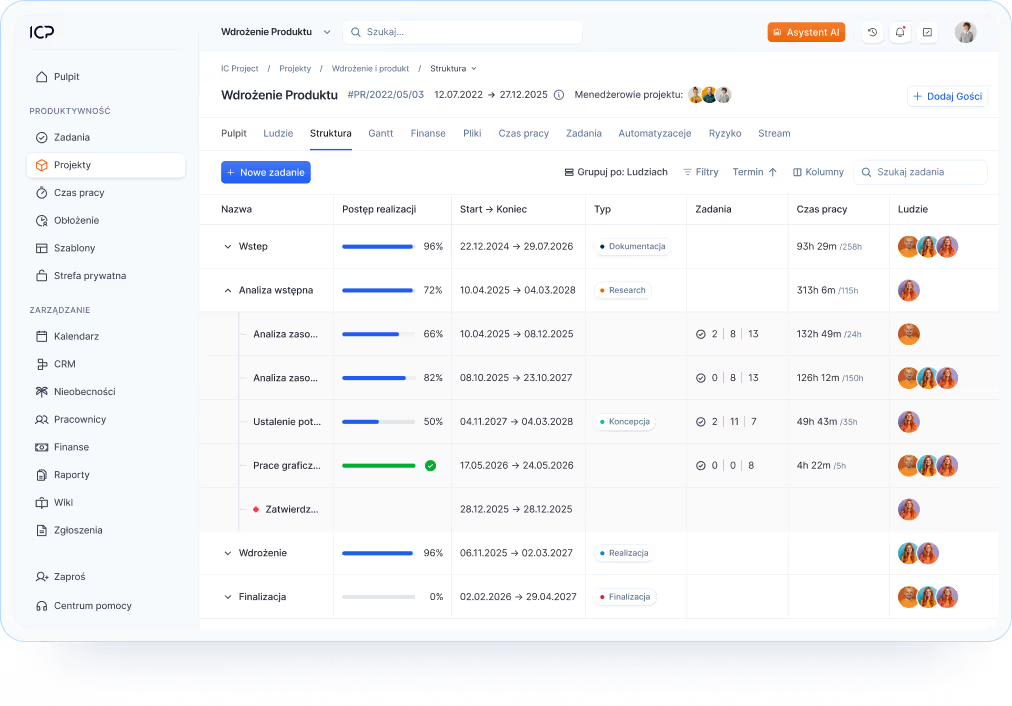
Reports — team activity analysis
Generate schedules that show how often the team communicates and exchanges information. Reports will help you assess the dynamics of cooperation and improve communication processes.
Try IC Project in your company
Our team is ready to help!

Create a free account and test with no obligation

Book a free online presentation
Do you have more questions?
Our team is ready to help you
Yes. IC Project has an intuitive messenger that allows for individual, project and group conversations, sending files and quick reactions.
Yes. The system allows full personalization of notifications - both by email and in the application. You can independently set which events to inform you.
Yes, the mobile app and browser sends push notifications about new tasks, comments and deadlines. Their frequency can be changed in the settings.
Yes. In each task, you can add comments, reply to threads and respond with emoticons - just like in the built-in messenger.
The IC Project messenger allows you to integrate communication with your daily project management. All messages, files, and arrangements are available in one system, which streamlines team collaboration and eliminates the need to switch between different tools.
Yes. Communication in IC Project takes place within the same system you use to manage your projects and tasks. This gives your team quick access to all information and significantly reduces the risk of losing important details.
Yes. The IC Project messenger allows you to send documents, photos, voice notes, and other files. This keeps all project-related materials in one place, eliminating the need to use external messaging apps.
Yes. In IC Project, you can pin important messages so they are always easily accessible to the entire team. This is a useful feature for sharing procedures, key agreements, or organizational information.
Yes. IC Project allows for contextual message searching within the messenger, so you can quickly find previous arrangements, information, or files shared by team members.
Yes. In IC Project, communication can revolve around both day-to-day team operations and specific projects or tasks. This ensures that all agreements are easily accessible and never get lost in long email threads.
Yes. The IC Project messenger allows for individual and group conversations as well as sharing information directly within the system. This keeps communication linked to specific projects and tasks, ensuring all data stays in one place.
IC Project features a built-in messenger that allows your team to chat without leaving the system. All messages are kept in one place, streamlining communication and reducing the need for extra apps.