

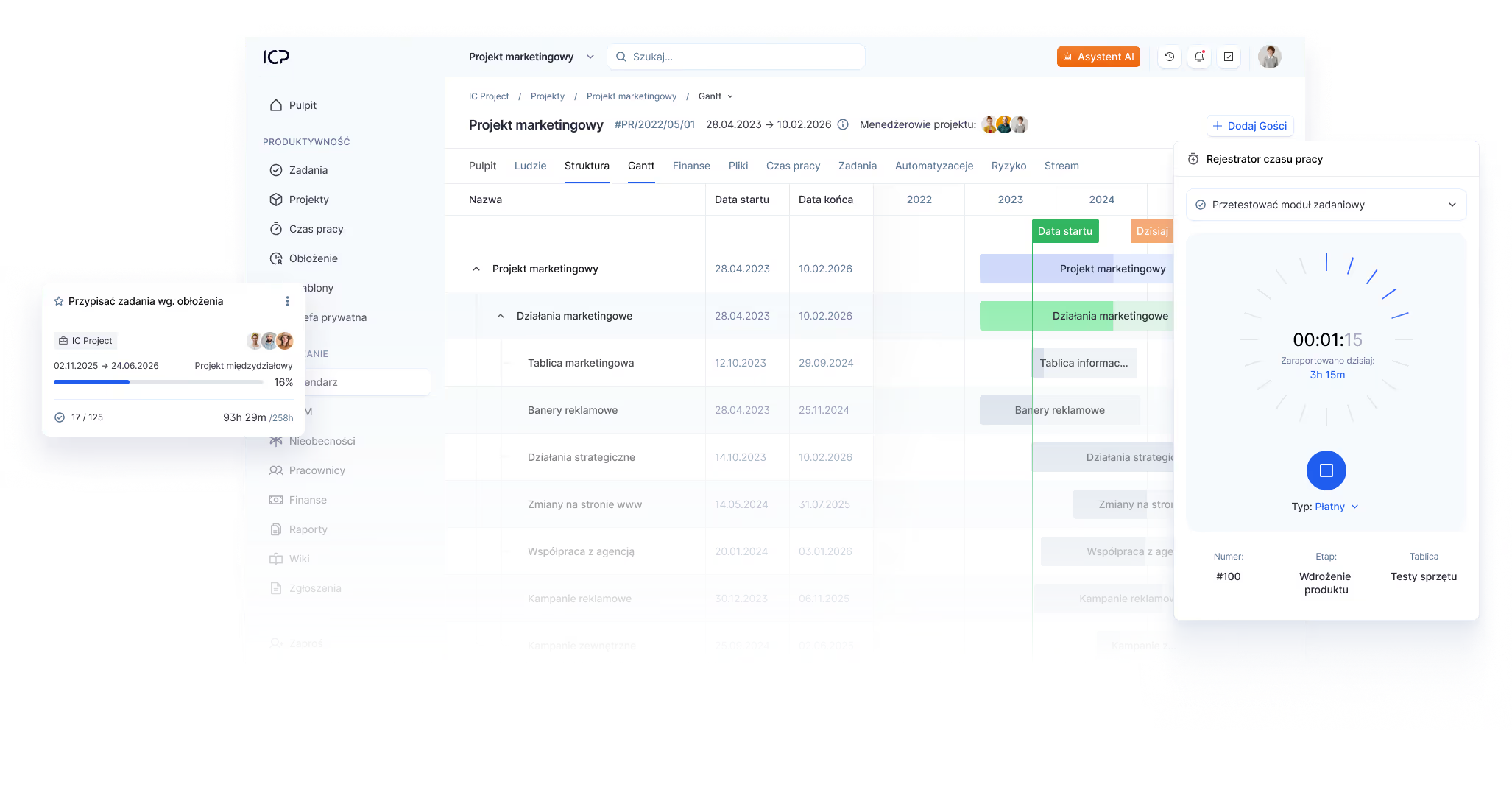
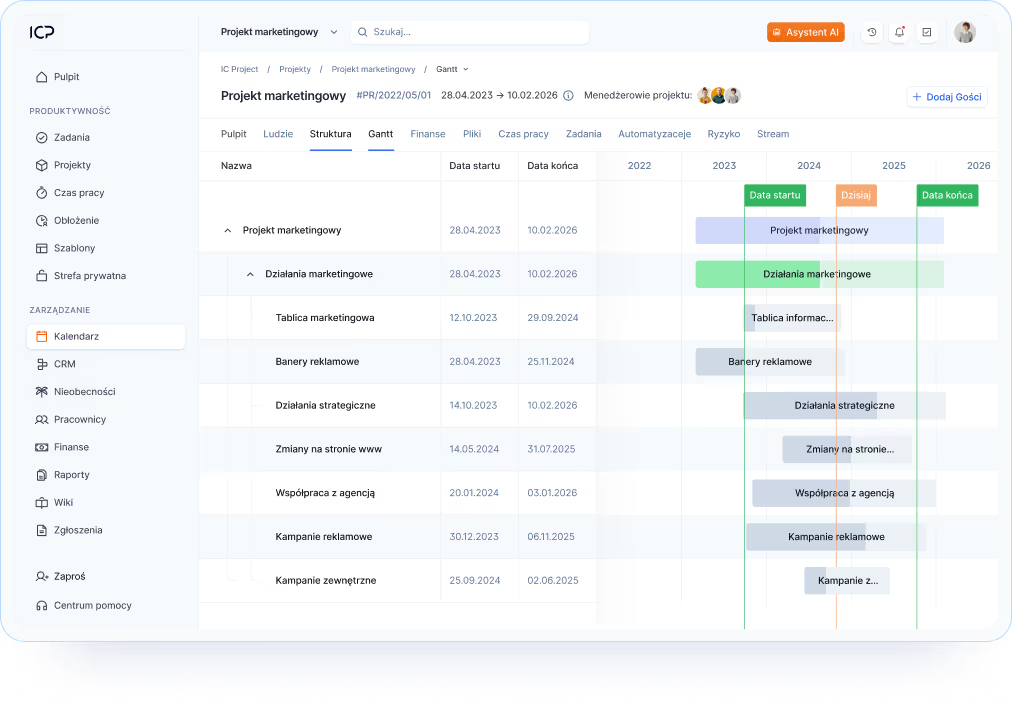
The project schedule is created automatically along with the task plan
You don't create a Gantt chart manually — IC Project generates it automatically from your project. All you have to do is define the stages and tasks, and the schedule immediately shows their layout on the timeline. This is a huge time saver because you have everything in one place.oszczędność czasu, bo wszystko masz w jednym miejscu.
One environment
Projects, tasks and schedule linked in one system
Automatic update
Every change in the project is immediately visible in the timeline
.avif)
Establish task dependencies and react faster to changes
IC Project allows you to combine tasks and stages with dependencies, so that the delay of one element automatically moves the entire plan. The system itself updates the schedule, saving you working hours and minimizing the risk of errors. This is full automation of the process.pełna automatyzacja procesu.
Task dependencies
Each element associated with a logical project string
Reaction to change
Delay of one stage updates the entire schedule
.avif)

IC Project is a system used at every organizational level of the company. With its help, we visualize the entire project-task process and take care of the effective communication of the teams.

Define key project points in a single view
Add milestones directly on the Gantt chart. They allow you to control the course of implementation, as well as create reflections of the schedule, which help to compare the plan with reality and analyze the causes of deviations.
Milestones
Create and track key project points on the timeline
Comparisons of plans
Analyze differences between plan and execution with special function
.avif)
Work on your schedule the way you like it — quickly and intuitively
The Gantt chart in IC Project allows you to conveniently drag items, change the duration of tasks, and customize the view. You can also export the schedule to XLS, CSV, or PDF and share it with your team or client.
Flexible view
Work in full screen, with any time range
Data export
Share your schedule in the most popular formats
The Gantt chart in IC Project is not just a view, but part of the entire design process
It works in full integration with tasks, working time, finances and reports. As a result, any change in the schedule is immediately reflected in the rest of the modules, giving you one coherent picture of the project.

IC Project has become a key tool in coordinating our development projects — from the construction schedule to communication between teams in all regions.


Experience in the developer market
Sold apartments by ATAL S.A
30 days is enough to change the way we work in the company

First contact without obligation
- Create a free account in 2 minutes
- Answer a call from a specialist within 3 hours
- Book a presentation tailored to your industry

Testing and Matching
- Test features on your own projects
- Get expert support during setup
- Evaluate if the system meets your needs

Implementation and training
- We analyze the processes and adjust the system
- We train the team and migrate existing data
- We donate to the permanent support of a specialist
Expand your Gantt chart with features that help you plan and control projects faster over time
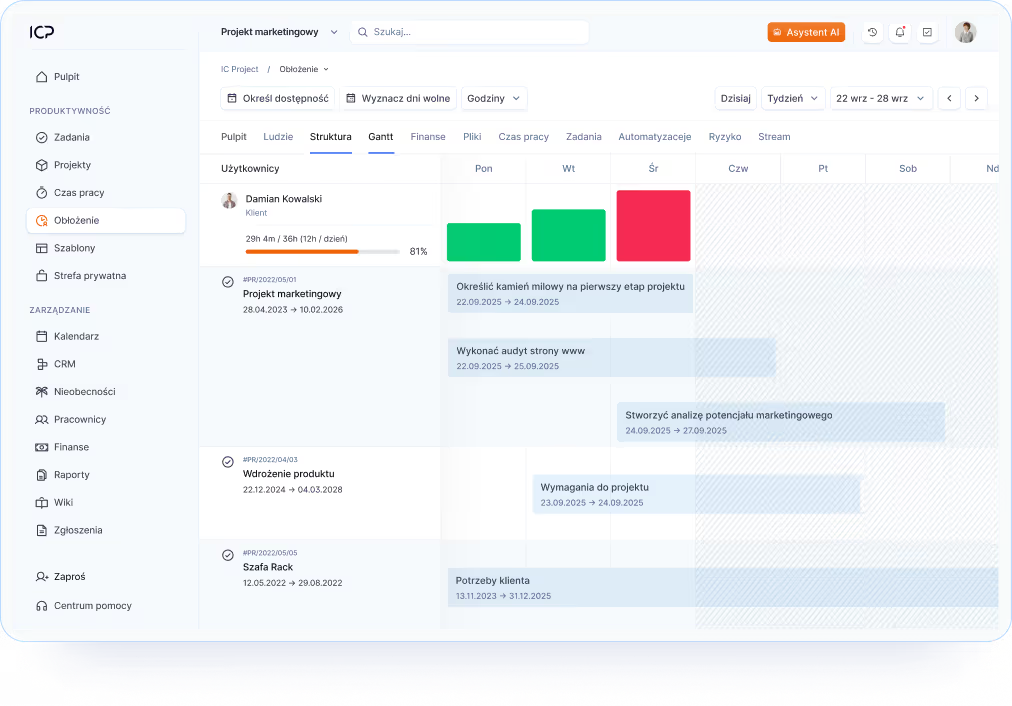
Occupancy management — plan work
See who is available and who is overloaded. Thanks to the connection with the schedule, you can plan tasks taking into account the real capabilities of the team and respond to uneven loads.
Automation — a plan that reacts on its own
Set rules that automatically move tasks and stages when changes or delays occur. Automations take care of the consistency of the plan without your interference. The system will adapt to your way of working and your entire schedule.

Reports — see progress in the timeline
Generate visual reports that show how the project is being carried out against the schedule. Analyze deviations, react to risks and make decisions based on current data. It is a synthesis of all the most important data.
Try IC Project in your company
Our team is ready to help!

Create a free account and test with no obligation

Book a free online presentation
Do you have more questions?
Our team is ready to help you
Yes - both a global Gantt chart and an individual one for each project. This is an invaluable tool for scheduling.
Yes. IC Project allows you to save ready-made project and task templates that can be used repeatedly for similar projects.
The system offers different views: list, Kanban board, schedule, calendar, and Gantta. This allows each team to work as they like.
Yes! You can define dependencies, priorities and deadlines, making it easier to manage more complex projects.
The Gantt chart in IC Project allows you to plan your project schedule using a clear timeline view. It lets you visualize task deadlines, project milestones, and their interdependencies, making it easier to organize your entire team's workflow.
In IC Project, you build your schedule based on project tasks and milestones. Simply set the start and end dates and assign tasks to the right team members. The Gantt chart automatically visualizes the entire project plan in a clear, easy-to-read format.
Yes. The Gantt chart in IC Project allows you to create dependencies between tasks, so you can determine which actions must be completed before subsequent project stages can begin.
The Gantt chart in IC Project allows you to track project progress in real time. In a single view, you can check which tasks have been completed, which are in progress, and whether the project is running according to schedule.
Yes. The Gantt chart in IC Project is designed for projects of varying complexity. It facilitates the management of multi-stage implementations and ensures clarity even with a large number of tasks.
Yes. In IC Project, you can edit your schedule directly from the Gantt chart. Changing task deadlines allows you to quickly adjust your project plan to the current situation and keep your schedule up to date.
The IC Project Gantt chart is most commonly used by construction companies, architectural firms, manufacturing businesses, software houses, and marketing agencies. This feature is ideal for any environment where projects require detailed planning and deadline management.
The Gantt chart in IC Project makes it easy to plan projects, track deadlines, and coordinate team efforts. With a clear schedule, you can identify delays faster, plan subsequent project stages more effectively, and achieve your goals with greater success.